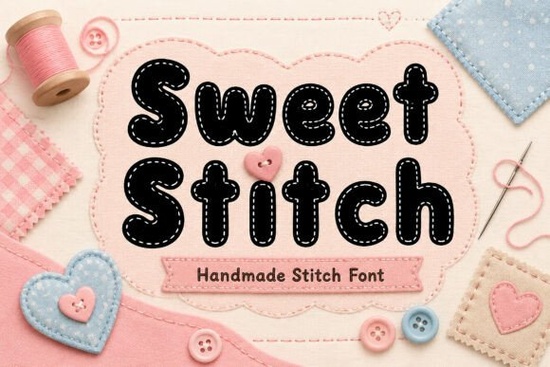
The Sweet Stitch Font is a handmade display font designed with playful stitched outlines and soft rounded letterforms. If you work on nursery décor, baby products, Cricut crafts, sublimation projects, or any design that calls for a cozy, handcrafted feel, this font was made with you in mind. It brings a warm, stitched texture to text without requiring any extra design work on your part.
Below, I'll walk you through what makes this font useful, who it's best for, and how to get the most out of it in your creative projects.
What Does the Sweet Stitch Font Look Like?
Think of the letters you'd see stitched onto a baby blanket or embroidered on a fabric tag. That's the visual style Sweet Stitch delivers. Each character has a handmade outline with rounded edges, giving text a soft and friendly appearance. It works especially well at larger sizes where the stitched details are clearly visible.
The font stays readable even when used on busy backgrounds like patterned fabrics or colorful sublimation blanks. This makes it a practical choice for real-world projects, not just screen designs.
What Can You Use It For?
Sweet Stitch fits a wide range of creative uses. Here are some of the most popular applications:
- Nursery wall prints and baby room décor
- T-shirts, onesies, and tote bags for print-on-demand shops
- Greeting cards and invitations with a handmade feel
- Sticker sheets and planner accessories
- Mug designs and sublimation products
- Etsy product listings and small business branding
- Scrapbook layouts and memory albums
- Social media graphics and quote posts
If you sell on Etsy or run a small handmade business, using a font like Sweet Stitch across your packaging, labels, and shop graphics creates a consistent, crafty brand identity that customers remember.
Is It Compatible With Cricut and Silhouette Machines?
Yes. Sweet Stitch works well with popular cutting machines like Cricut Design Space and Silhouette Studio. The clean outlines make it easy to use for vinyl decals, iron-on transfers, and paper crafts. Just type out your text, size it appropriately, and the stitched effect is ready to cut or print.
For best results with cutting machines, avoid making the text too small. The stitched details look best when the letters have enough room to breathe.
How Does It Compare to Other Playful Display Fonts?
Sweet Stitch has a very specific aesthetic the stitched, handmade look. If you're exploring other playful display fonts for different projects, here are a few worth checking out:
- Retro Vintage Fun Collection Font great for retro-themed designs with a bold personality
- Orange Crayon Font a crayon-style option perfect for kids' projects and classroom materials
- Sunny Groove Font cheerful and bouncy, good for summer designs and party invitations
Each of these serves a different creative mood. Sweet Stitch stands out specifically for projects where you want that cozy, handmade sewing aesthetic.
What File Formats and Licenses Are Included?
When you grab Sweet Stitch from Creative Fabrica, you get access to standard font files along with a commercial license. This means you can use the font in products you sell like printed mugs, digital downloads, or POD listings without worrying about extra licensing fees. Always double-check the specific license terms on the product page before using fonts in commercial work.
If you're building a library of display fonts for your creative business, Creative Fabrica offers a subscription model that gives you access to thousands of fonts, graphics, and craft files under one license.
Tips for Getting the Best Results
- Use it at larger sizes. The stitched outline detail disappears at very small point sizes. Aim for titles, headers, and short phrases.
- Pair it with a simple sans-serif. Body text or longer copy works better in a clean, basic font. Use Sweet Stitch for accents and headlines.
- Choose the right background color. Soft pastels, whites, and light neutrals let the stitched details stand out naturally.
- Test before you commit to production. Print a sample or do a test cut to make sure the size and detail level work for your specific product.
You might also pair Sweet Stitch with fonts like Pelique or Aristoreva for projects that mix playful headings with more structured secondary text. These display fonts each bring a different tone, giving you more flexibility across your design library.
Quick Checklist Before You Buy
- Think about your primary use case nursery prints, POD products, branding, or crafts.
- Confirm the font works in your design software (Cricut, Silhouette, Canva, Adobe, etc.).
- Check the license terms to match how you plan to use it commercially.
- Download a sample preview to see how it looks in your specific project context.
- Consider pairing it with complementary fonts from the same platform for a consistent brand look.
Next step: Visit the Sweet Stitch Font product page to preview all the characters and see how it fits your next project. If you're also looking for a fun, child-friendly option for school or playroom designs, check out the Orange Crayon font for a completely different hand-drawn vibe.
Download Now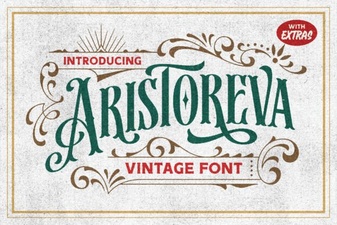 Elegant Typography for Creative Projects
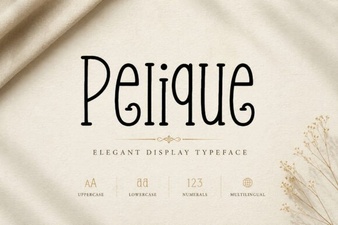 Pelique Font Free Download - Stylish Display Typeface
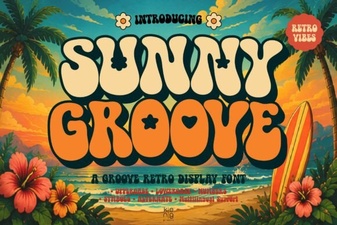 Sunny Groove Font Free Download - Fun Display Typeface for Creative Projects
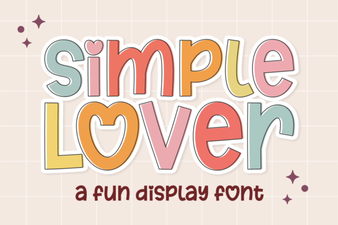 Elegant Script for Creative Projects
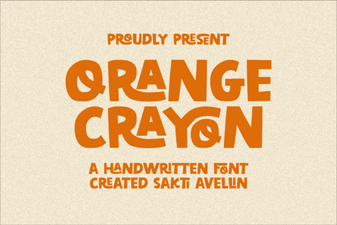 Orange Crayon Font Ideas for Creative Projects
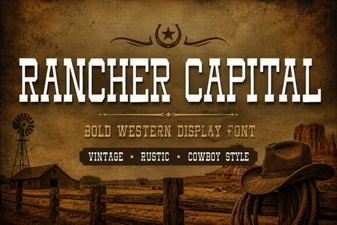 Rancher Capital Font: Bold Design for Creative Projects