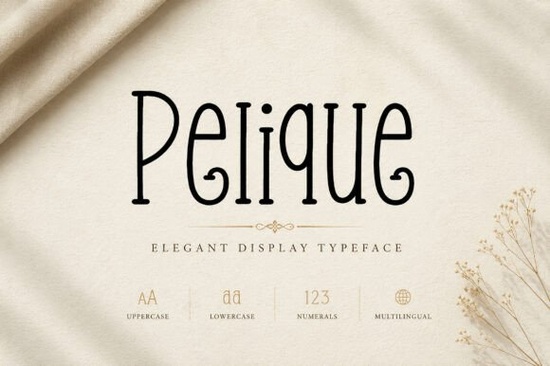
Looking for a display typeface that feels both refined and full of personality? The Pelique font is an elegant typeface with tall, graceful letterforms and soft organic curves. It works beautifully for luxury branding, editorial design, packaging, and modern visual storytelling. If you design logos, social media templates, or boutique brand identities, this font brings a polished and artistic feel to almost any project.
What makes the Pelique font stand out from other display fonts?
Many display fonts lean either too decorative or too minimal. Pelique sits in a sweet spot it has playful curves paired with elegant proportions, giving your designs a sophisticated look without feeling stiff or overdone.
The typeface includes both uppercase and lowercase letters, numbers, punctuation, stylistic alternates, and ligatures. It's also PUA encoded, which means you can access every character easily, even in software that doesn't support OpenType features natively.
For designers who want something more expressive than a standard serif or sans-serif, Pelique offers a distinct personality that makes headlines, logos, and packaging feel memorable.
What can you use Pelique for?
This font fits a wide range of creative projects. Here are some of the most popular uses:
- Luxury branding logos, brand marks, and visual identities
- Beauty and fashion packaging perfume labels, cosmetics, skincare
- Editorial design magazine covers, feature headlines, layout titles
- Social media Instagram posts, story templates, quote graphics
- Print-on-demand products posters, mugs, tote bags, apparel
- Event stationery wedding invitations, greeting cards, menus
- Boutique identities salons, florists, jewelry brands, gift shops
If you run a small business or sell print-on-demand designs, Pelique can help your products look premium without hiring a custom lettering artist.
How does Pelique compare to other popular display fonts?
Every font has its own mood. If you're building a collection of display typefaces, it helps to have a few different styles on hand. For example, Rancher Capital brings a bold, Western-inspired feel that works well for rustic branding. On the other end of the spectrum, a playful handwritten style like Orange Crayon suits kids' products and casual designs.
Pelique fills a different role it's chic, feminine, and editorial. Think fashion magazines, boutique storefronts, and high-end product labels. It pairs especially well with clean sans-serif body text and minimal layouts.
For projects that need a romantic, gentle touch, you might also explore a script-style option such as Simple Lover, which works beautifully for wedding stationery and love-themed quotes. And if you want a whole bundle of versatile display fonts, retro and vintage font collections can give you dozens of options at once.
Is Pelique easy to install and use?
Yes. Pelique supports easy installation on both Mac and Windows. Once installed, it appears in your font menu across all major design applications including Adobe Illustrator, Photoshop, Canva, Cricut Design Space, and Affinity Designer.
Because the font is PUA encoded, you can use every stylistic alternate and ligature even in programs with limited OpenType support. This is especially helpful for crafters and print-on-demand sellers who work in tools like Silhouette Studio or Cricut.
What design styles pair well with Pelique?
Pelique works best in designs that aim for an artistic, expressive, and polished aesthetic. Here are a few pairing ideas:
- Use it for headlines and titles, paired with a simple sans-serif for body copy
- Combine it with soft neutral color palettes blush, cream, sage, or black and gold
- Layer it over high-quality photography or textured backgrounds for editorial layouts
- Keep plenty of white space around the letterforms to let the curves breathe
Because the font has its own strong personality, it's best to keep the rest of your design clean and uncluttered. Let Pelique do the talking.
Quick checklist before you buy
- Review the full character set check uppercase, lowercase, alternates, and ligatures
- Test the font against your brand colors and existing design elements
- Make sure your design software supports the features you need (or confirm PUA access)
- Check the Pelique license to confirm it covers your intended use commercial projects, POD, client work, etc.
- Download a few complementary fonts to build a well-rounded type collection
Next step: Visit the Pelique font page to preview the full character set and see sample designs. If it matches your project's style, grab it and start creating.
Explore Design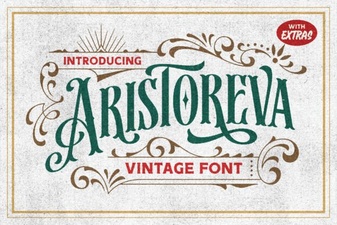 Elegant Typography for Creative Projects
 Sunny Groove Font Free Download - Fun Display Typeface for Creative Projects
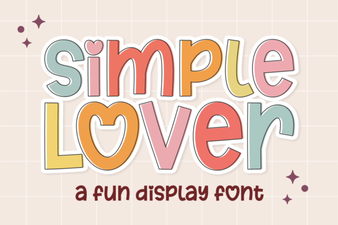 Elegant Script for Creative Projects
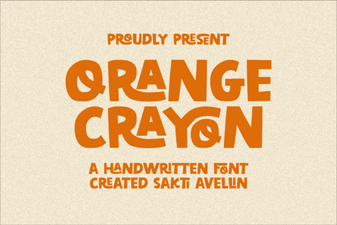 Orange Crayon Font Ideas for Creative Projects
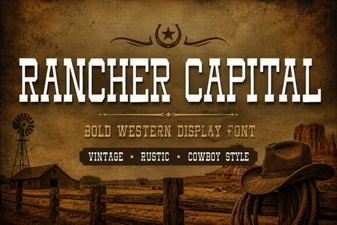 Rancher Capital Font: Bold Design for Creative Projects
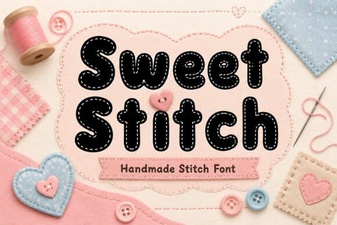 Sweet Stitch Font for Creative Handmade Design Projects